Learning how to run TikTok ads in the UAE starts with one idea: TikTok rewards ads that look like TikTok. People scroll full-screen vertical video with the sound on, and they skip anything that feels like a TV commercial within a second or two. Get the setup right and make video that fits the feed, and TikTok can reach a large, engaged audience at a reasonable cost. This guide walks through each step, from an empty account to your first live campaign, with the details that matter in the UAE.
Is TikTok right for your business?
TikTok works best when your product can be shown, demonstrated or talked about on camera: food, fashion, beauty, gadgets, fitness, local services and anything with a visible before and after. It is a place where people discover things they weren't searching for, so it suits creating demand rather than capturing it.
It is a weaker fit if you can't produce video regularly, or if your buyers are a narrow group of professionals better reached through search or LinkedIn. TikTok usually works best alongside search rather than instead of it: TikTok creates interest, and search catches people when they look you up afterwards.
What you need before you start
- A TikTok account for your business. Ads now run from a linked TikTok account as their identity, so set one up and keep it active.
- Business details that match your trade license: legal name, address and website.
- A website or landing page for the product, with clear prices and contact details.
- A payment method for the ad account.
- A steady supply of short vertical videos, or a plan to make them.
Step 1: Create your TikTok Ads Manager account
Sign up at TikTok for Business and create an ad account in TikTok Ads Manager. If several people or brands will advertise, set it up inside a Business Center, which lets you manage ad accounts, team access and assets in one place.
Choose the country, currency and time zone carefully, because they can't be changed later. Pick the UAE, AED and the UAE time zone. This matters more on TikTok than elsewhere: a self-serve ad account can only target locations in the country it was registered in, so an account registered elsewhere can't reach UAE audiences.
Step 2: Pass account review and verification
New advertiser accounts are reviewed before ads can run, and TikTok may also ask you to verify your business in Business Center. Submit documents that match the details you entered exactly, such as your trade license, and make sure your website looks like a real, working business. Review usually clears within a few business days; until then, ads won't deliver.
Then link your TikTok account as the ad identity. If something blocks you at this stage, markXpand's help center has step-by-step guides for TikTok account approval, business verification and linking a verified account.
Step 3: Choose your objective
TikTok groups its objectives into awareness, consideration and conversion, with options such as Reach, Traffic, Video views, Lead generation, App promotion and Sales. As on every platform, the objective tells TikTok who to show your ad to, so pick the one closest to the result you want.
- Sales: purchases on your website or app. You will need the TikTok Pixel installed (see step 7).
- Lead generation: enquiries through an instant form inside TikTok or on your website.
- Traffic: visits to your website.
- Reach or Video views: awareness, for launches and brand building.
TikTok also offers Smart+ campaigns, which automate targeting, bidding and creative combinations. They can work well once you have creative that performs, but start with a standard campaign so you understand what is driving results.
Step 4: Target your audience
Set the location to the UAE or specific emirates, then choose age and gender only where your product genuinely needs it. TikTok's delivery system is good at finding interested people on its own, so start broad and let the data narrow it, rather than stacking interests on day one.
Choose languages to match your audience, and plan separate ads for English and Arabic speakers rather than one ad with a translated caption. In the UAE many people use the app in English while others prefer Arabic, so test both.
Step 5: Make video that fits TikTok
Creative decides more on TikTok than on any other platform. A strong video on a modest budget beats a weak video on a large one.
- Shoot vertical: 9:16, full-screen, in good light. Phone footage is fine and often performs better than polished production.
- Hook in the first two or three seconds: show the product, the problem or the result straight away.
- Make it sound-on: use voice, music from TikTok's commercial music library, and on-screen captions for people watching on mute.
- Keep it short. Most good ads say one thing well in well under a minute.
- Keep text and logos clear of the bottom of the screen and the right-hand side, where TikTok places the caption, the call-to-action and its buttons.
- Use real people: someone talking to camera, showing how they use the product, usually beats a graphic slideshow.
Make several versions with different hooks. TikTok audiences tire of an ad quickly, so plan to refresh creative every couple of weeks.
Step 6: Consider Spark Ads
Spark Ads let you promote an existing organic TikTok post, either your own or a creator's, as an ad. Because they look and behave like normal posts, keeping their likes, comments and the account behind them, they often feel more natural than standard ads. To promote someone else's post, the creator generates an authorization code in the app and shares it with you.
If you pay creators to make content, check the UAE's current rules for advertising content and creator permits before you commission anything.
Step 7: Install the TikTok Pixel
For sales or leads on your website, install the TikTok Pixel and, where you can, the Events API alongside it. Set up the event that matters most, such as a purchase or a submitted form, and test it before launch. Without it, TikTok can't learn who converts, and you can't see what each result cost.
Step 8: Set a budget in dirhams
Set a daily or lifetime budget at the campaign or ad group level. TikTok has minimum daily budgets, shown in your currency when you create the campaign, so a very small test may not be possible. Plan for at least a two-week test so the system has enough results to learn from, and expect costs to change with the season, rising around year-end, Ramadan and Eid.
Step 9: Launch, review and measure
When you submit, TikTok reviews each ad against its advertising policies, which usually takes up to a day. A rejection notice explains what to fix; edit the ad and resubmit.
Once ads are live, look past views and likes. Check the cost per result for your objective, the share of people who watch the first few seconds and beyond, and the click-through rate. Pause ads that people skip, make more versions of the ones that hold attention, and move budget toward what converts.
Common mistakes to avoid
- Running TV-style or heavily branded ads that look out of place in the feed.
- A slow opening: if the first two seconds don't hook, the rest isn't seen.
- Registering the ad account in the wrong country, which locks you out of UAE targeting.
- Launching without the Pixel, then judging success on views.
- Running the same video for weeks after it has stopped performing.
- Translating captions instead of making Arabic and English versions.
How markXpand runs TikTok ads for you
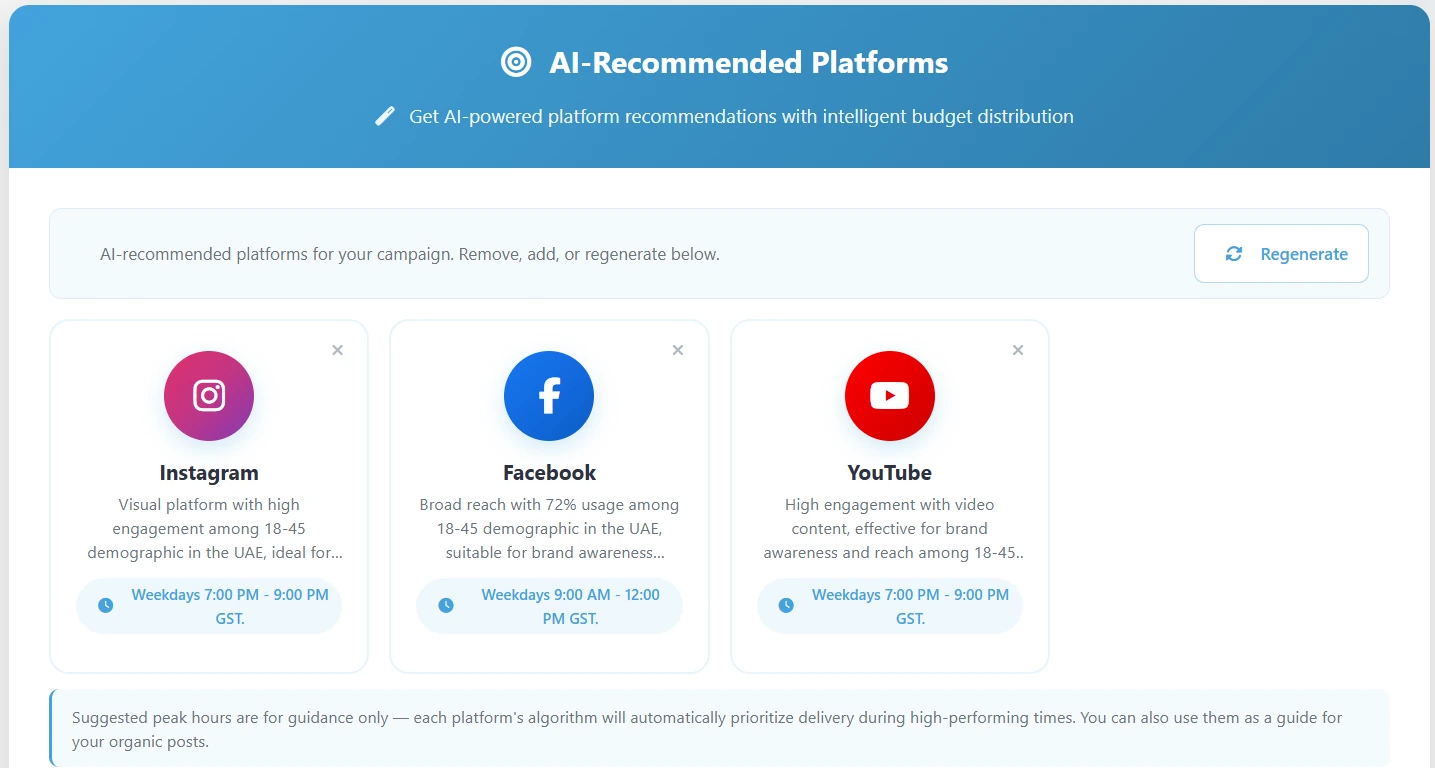
markXpand starts by deciding whether TikTok should be in the plan at all. It reads your product and your objective, recommends TikTok only when it suits them, with a written reason, and splits your daily budget in AED across the channels you keep. It writes captions in English or Arabic, prepares vertical 9:16 creative, and launches into your own connected TikTok account after one approval, with results coming back alongside your other channels on one set of numbers. Your first three campaigns are free, with no credit card.