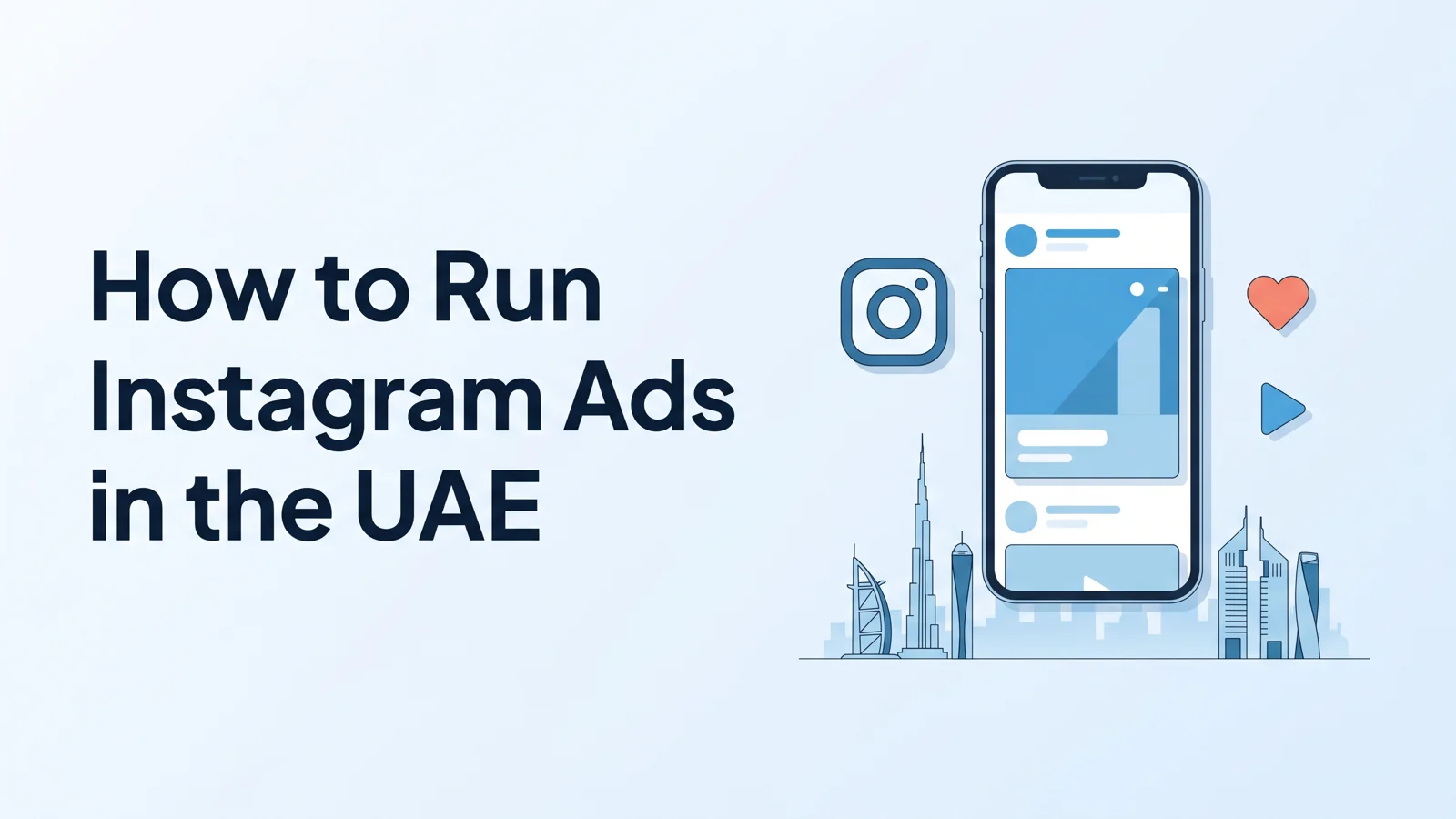
Learning how to run Instagram ads in the UAE is mostly a matter of getting the setup right once. Instagram ads are sold through Meta, the same system that runs Facebook ads, so the steps are the same wherever you are. What changes in the UAE is the audience: two languages, a mobile-first market and a calendar shaped by Ramadan, Eid and the year-end shopping season. This guide walks through each step, from an empty account to your first live ad.
What you need before you start
Five things need to be in place before you can run your first ad. Setting them up properly now saves a failed launch later.
- An Instagram professional account (business or creator). A personal account can't run ads; switching is free in the Instagram app's settings.
- A Facebook Page for your business, linked to that Instagram account. Ads are run through the Page even when they only appear on Instagram.
- A Meta business portfolio (formerly Business Manager) that owns the Page and the ad account.
- An ad account in AED, with a payment method added. Choose the currency when you create the account, because it is hard to change later.
- Your tax registration number (TRN), if your business is VAT-registered. Without a valid TRN, Meta adds 5% UAE VAT to your ad charges.
If Instagram doesn't appear as an option when you create an ad, the account is usually not linked to the Page. markXpand's help center has a step-by-step guide to linking the two.
Step 1: Boost a post, or use Ads Manager?
There are two ways to advertise on Instagram. Boosting a post from the Instagram app is quick: pick a post, an audience, a budget and a duration, and it runs. It suits a simple goal such as more profile visits or more people seeing a post.
Meta Ads Manager takes a little longer and gives you far more control: proper objectives, detailed targeting, placements, several ad versions to test, and conversion tracking on your website. For anything you want to measure in sales or leads, use Ads Manager. The rest of this guide assumes you do.
Step 2: Choose the right objective
Ads Manager asks for an objective first, and it is the most important choice you make. Meta offers six: Awareness, Traffic, Engagement, Leads, App promotion and Sales. Meta uses the objective to decide who sees the ad, so choose the one closest to the result you actually want.
- Sales: purchases on your website or app. You will need tracking set up (see step 7).
- Leads: enquiries, either through an instant form inside Instagram or on your website.
- Traffic: visits to your website, useful for launches and catalogues people need to browse.
- Awareness: reach, for brand building, when you are not expecting an immediate action.
Pick one objective per campaign. A campaign that tries to get sales and awareness at once usually ends up doing neither well.
Step 3: Target your audience in the UAE
Targeting has three parts: where, who and in which language.
- Location: target the whole UAE, specific emirates, or areas within a city. If you only deliver in Dubai, there is no reason to pay for impressions in Fujairah.
- Age and interests: start broad enough for Meta to find the people who respond. Very narrow audiences are expensive and run out quickly.
- Language: the UAE audience reads English, Arabic or both. Run separate ad versions for each language rather than one translated ad, and use Meta's language setting where you want to reach Arabic or English readers specifically.
Meta's Advantage+ audience option can widen your targeting automatically when it expects better results. It is worth testing against your own audience once you have a baseline.
Step 4: Choose your placements
Instagram has four main placements, each viewed in a different way.
- Feed: posts in the main scroll, seen alongside friends' and brands' posts.
- Stories: full-screen vertical ads between people's stories, seen for a few seconds each.
- Reels: full-screen vertical video in the Reels feed.
- Explore: ads shown as people browse new content.
You can let Meta choose placements automatically across Facebook and Instagram (Advantage+ placements), which often finds cheaper results, or select Instagram placements only. If your creative is made only for Instagram, choose the Instagram placements manually so it isn't stretched into formats it wasn't made for.
Step 5: Make creative in the right sizes
Each placement wants its own shape. Making one image and cropping it for everything is the most common reason Instagram ads look wrong.
- Feed: 4:5 portrait (1080 x 1350 pixels) takes up the most space on a phone, and 1:1 square (1080 x 1080) also works.
- Stories and reels: 9:16 vertical (1080 x 1920 pixels), with text and logos kept away from the top and bottom of the screen, where Instagram's own buttons and captions sit.
- Video: short and clear from the first second. Most people decide within a moment whether to keep watching, and many watch without sound, so add captions.
Show the product early, keep text on the image short, and make the offer readable on a phone screen.
Step 6: Write copy that fits Instagram
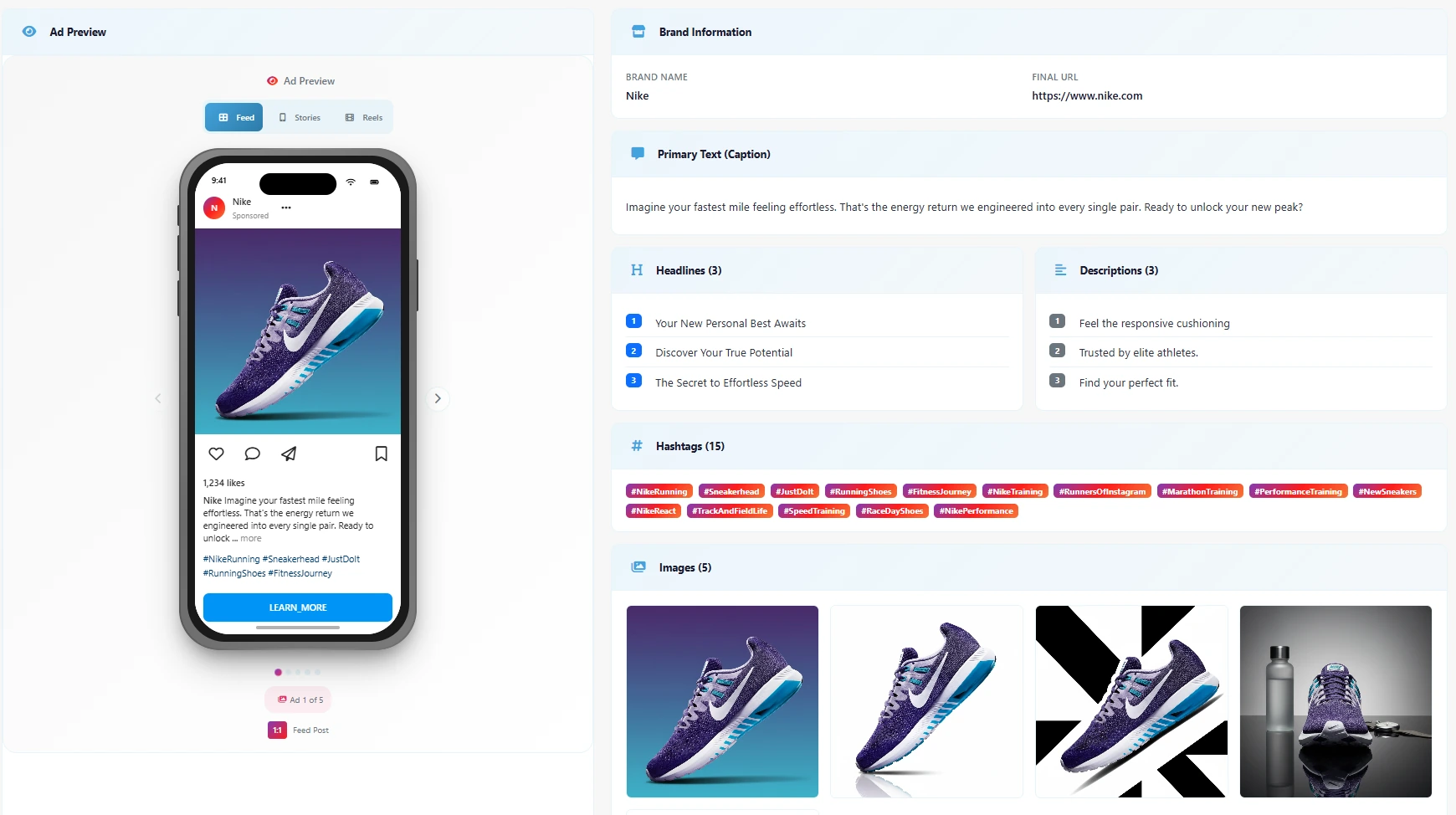
Instagram ads have three pieces of text: the primary text (the caption), the headline and the call-to-action button. On a phone, the caption is cut off after the first line or two, so the point has to come first.
- Lead with the benefit or the hook in the first line.
- Keep the headline short and put the offer in it.
- Choose a button that matches the objective: Shop now for sales, Sign up or Get quote for leads, Learn more for traffic.
- Write each language natively. An Arabic caption should read as if it was written in Arabic, not translated.
Step 7: Set up tracking
If your objective is sales or leads on your website, install the Meta Pixel on the site and, where you can, the Conversions API alongside it. Without tracking, Meta can't see who bought, so it can't find more people like them, and you can't see what each sale cost. Set up the event that matters most to you, such as a purchase or a submitted form, and test it before launch.
Step 8: Set a budget in dirhams
Choose a daily budget, which spends a similar amount each day, or a lifetime budget spread across set dates. Start from what you can spend for a two-week test without needing an immediate return. Give the campaign that time before judging it, because Meta needs results to learn from. Costs vary widely with your audience, industry and season, and tend to rise around year-end, Ramadan and Eid; our guide to Facebook and Instagram ad costs in Dubai covers how to plan a budget in detail.
Step 9: Launch, review and measure
When you publish, Meta reviews the ad against its advertising policies. Most ads are reviewed within 24 hours. If an ad is rejected, the notice tells you which policy it broke; fix the issue and resubmit, or request another review if you think the decision was wrong.
Once it is live, give it a few days before changing anything. Then compare ad versions on cost per result, not on likes or reach. Keep the winners, pause the clear losers, and change one thing at a time so you can tell what made the difference.
Common mistakes to avoid
- Boosting posts when you need sales, and then judging the results on likes.
- One image cropped for feed, stories and reels.
- Translating English copy into Arabic instead of writing it natively.
- Launching without tracking, so you can't see what a sale cost.
- Changing the campaign every day before it has had time to learn.
- Forgetting the 5% VAT when you plan the budget.
How markXpand runs Instagram ads for you
markXpand handles the parts that take the longest. You add your product and choose what the campaign is for; it researches your competitors, writes the caption and headline in English or Arabic, makes the creative in the right shape for feed, stories and reels, and shows you a live preview of the ad. If Instagram is the right channel for your product, it recommends it with a written reason, splits your daily budget in AED, and launches into your own Meta ad account after one approval, with every ad arriving paused until you turn it on. Your first three campaigns are free, with no credit card.