Learning how to run Google Ads in the UAE is worth the effort, because search ads reach people at the exact moment they are looking for what you sell. Someone typing 'office lunch delivery Dubai' or 'شركة تنظيف في أبوظبي' has already decided they want something; your job is to be the clear answer. This guide walks through each step, with the local details that matter: billing in dirhams, two languages and a market that searches on its phone.
What you need before you start
- A Google account for your business, ideally one the company controls rather than a personal address.
- A website or landing page for the product or service you want to advertise, with your business name and contact details clearly shown.
- A payment method for the account, such as a business credit or debit card.
- A Google Business Profile, if customers visit you or you serve a local area. It lets your ads show your address, map and reviews.
- A Google Merchant Center account, only if you plan to run Shopping ads for physical products.
Step 1: Create the account in Expert Mode
When you sign up at ads.google.com, Google offers a simplified setup that creates a Smart campaign. It is quick, but it hides most of the controls you will want later. Look for the option to switch to Expert Mode before you finish, so you can choose your own campaign type, keywords and bidding.
Two settings are hard to change afterwards, so choose them carefully: the time zone, which decides when your daily budgets reset, and the currency. Choose AED so your budgets, reports and invoices all use the same currency as the rest of your business.
Step 2: Set up billing and tax details
Add your business details and payment method in the account's billing settings. If your business is VAT-registered in the UAE, add your tax registration number in the payments profile and check how VAT appears on your invoices, so your accounts team can reclaim it. Google may also ask you to complete advertiser verification, confirming who you are and the business you represent; it is routine, so complete it promptly to avoid your ads being paused.
Step 3: Choose the right campaign type
Google offers several campaign types, each showing ads in a different place.
- Search: text ads on Google search results. The best starting point for most businesses, because it captures people who are already looking.
- Performance Max: one campaign that runs across Search, YouTube, Display, Gmail, Discover and Maps, with Google deciding where to show each ad. Powerful once you have conversion tracking working.
- Shopping: product listings with an image and price, for online stores with a Merchant Center product feed.
- Display: image ads across websites and apps, useful for reach and for reminding past visitors.
- Video: ads on YouTube, for products that need showing.
For a first campaign, start with Search: it is the easiest to measure and the closest to a customer ready to buy.
Step 4: Choose keywords people actually search
Keywords tell Google which searches your ad should appear for. Start with what your customer would type, not how you describe yourself internally.
- Use Keyword Planner, inside Google Ads, to see how often terms are searched in the UAE and a rough range of what a click costs.
- Group keywords by theme, such as one ad group for 'office catering' and another for 'event catering', so each ad can match its searches closely.
- Add Arabic keywords as well as English ones if your customers search in Arabic, and write separate ads for them.
- Use match types deliberately: broad match reaches the widest range of related searches, phrase match requires the meaning of your phrase, and exact match is the tightest.
- Add negative keywords to block searches you don't want, such as 'free', 'jobs' or 'course' if you sell a service.
Step 5: Target locations and languages
Under location, choose the UAE, specific emirates or a radius around your business. Then check the location option: Google can show ads to people physically in or regularly in your area, or also to people who are only interested in it. For most local businesses, people who are actually in your area is the safer choice, so you don't pay for clicks from outside your service zone.
Under language, include both English and Arabic if you serve both audiences. Google uses the language settings of the person searching, so leaving out a language can hide your ads from part of your market.
Step 6: Write responsive search ads
Search ads are built from parts that Google combines automatically. A responsive search ad takes up to 15 headlines of up to 30 characters each and up to 4 descriptions of up to 90 characters each, and Google tests combinations to find what works.
- Put your main keyword in at least one headline, so the ad clearly matches the search.
- Write headlines that make sense in any order and on their own.
- Include the benefit, the offer and a reason to choose you, such as same-day delivery, a price or years in business.
- Avoid claims you can't back up. Superlatives and guarantees are common reasons for ads being limited or rejected.
Then add assets (formerly called extensions): sitelinks to key pages, callouts for short selling points, a call button, and your location from your Business Profile. They make the ad larger and give people more reasons to click.
Step 7: Choose a bidding strategy
Bidding decides how Google spends your budget in each auction. Your Ad Rank depends on your bid and on the quality of your ad and landing page, so a relevant ad can win a better position for less.
- Maximize clicks: a safe start for a new account, getting as many visits as possible within your budget.
- Maximize conversions: once conversion tracking is working, Google aims for the most sales or leads.
- Target CPA or Target ROAS: aim for a set cost per result or return on spend. They need a steady history of conversions, so use them after the campaign has data, not on day one.
Step 8: Set up conversion tracking
Without tracking, you can see clicks but not what they turned into. Create a conversion action in Google Ads for the result that matters (a purchase, a form submission or a phone call) and add the Google tag to your website, or import conversions from Google Analytics. Test it before launch by completing the action yourself and checking that it is recorded.
Step 9: Set a budget in dirhams and launch
Google uses an average daily budget. On busier days it can spend up to twice that amount, but over a month it won't charge more than your daily budget multiplied by the average number of days in a month. Start with what you can spend for a two- to four-week test, and remember that clicks in competitive local markets can be expensive, so a focused keyword list matters more than a large one.
When you publish, Google reviews the ads against its policies, and most ads are reviewed within one business day. If an ad is disapproved, the reason is shown next to it; fix the ad or landing page and it is reviewed again.
Step 10: Measure and improve
Give the campaign a week or two before making big changes. Then check the search terms report to see the real searches that triggered your ads, add new negative keywords for irrelevant ones, and add good new terms as keywords. Compare ad groups and ads on cost per conversion, pause what isn't working, and move budget toward what is.
Common mistakes to avoid
- Staying in Smart mode and losing control of keywords and placements.
- Targeting people interested in your location rather than people who are actually there.
- Leaving out Arabic keywords and ads when your customers search in Arabic.
- Launching without conversion tracking, then judging success on clicks.
- Never checking the search terms report, so the budget keeps paying for irrelevant searches.
How markXpand runs Google Ads for you
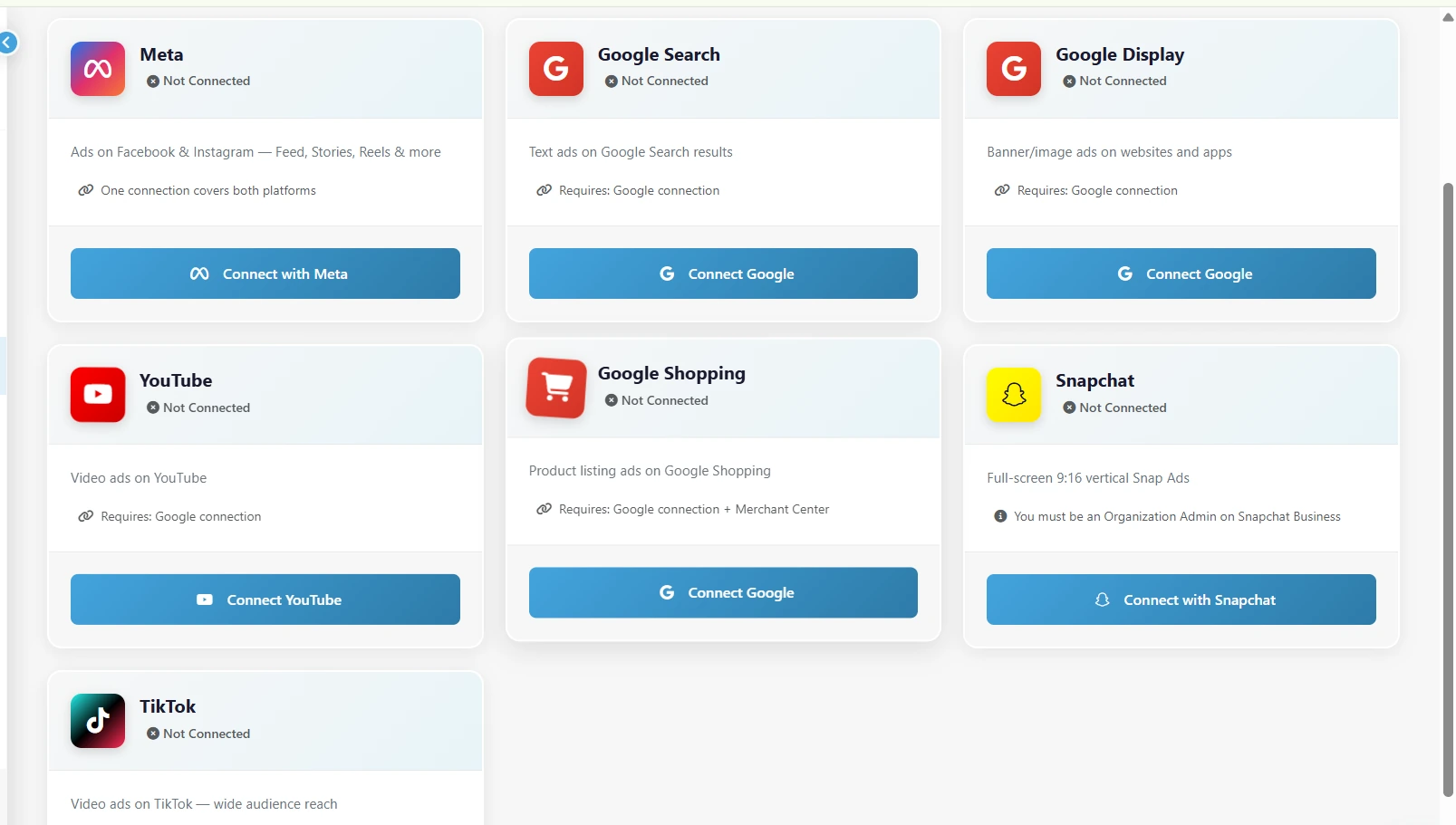
markXpand takes care of the slow parts. You add your product and choose what the campaign is for; it researches your competitors, writes headlines and descriptions to Google's limits in English or Arabic, and recommends Google Search, Display, Shopping or YouTube when they suit your product, each with a written reason. It splits your daily budget in AED across the channels you keep, chooses a sensible bidding strategy for your objective, and launches into your own connected Google Ads account after one approval. Results come back alongside your other channels on one set of numbers. Your first three campaigns are free, with no credit card.